Showing posts with label Homeschool math. Show all posts

Wednesday, July 29, 2020

CTCMath REVIEW 2020

Disclaimer: I received a FREE copy of this product through the HOMESCHOOL REVIEW CREW in exchange for my honest review. I was not required to write a positive review nor was I compensated in any other way. 


Another CTCMath review?  Yes!  What can I say, when you find a good thing it is worth passing on and telling others about it.  We have been using CTCMath since my oldest was in 4th grade (he's in 11th grade this year!).  I received a 12-month Family membership in this online full math curriculum.  When we first started it was not a full curriculum that now includes Kindergarten through High School.  There have also been many improvements as the years have passed in reporting and customization of lessons and reports.


When my 11th grader was younger he had a lot of struggles with math when we started 4th grade.  I was at the end of my wits until we found CTCMath.  The lessons were short and to the point.  The homework was simple and straight forward. But best of all, he was learning again!  He wasn't fighting to do math anymore due to frustration and boredom.  It was the perfect fit.  When Little Bug (our current 2nd grader) started Kindergarten, I just automatically took out a family subscription to CTCMath and we haven't looked back.  Even though she is a great student no matter what the subject, she was also excelling at math using this program.  She continues to progress well and says she "likes doing math."

Individual results for homework completed


I will put links to my previous reviews below for you to see how the program has changed.  Currently, two of the newest features are the ability to drill down to individual results in the homework and the ability to export all your data from the program into an XLS (spreadsheet) file.  I really like the individual results because I can print out her completed homework if necessary and see which problems she had trouble with.  For those of you that keep detailed records printing this out and saving in a binder is perfect proof of work completed.

Sample of detailed results of lessons completed

I really like the variety of reports that can be generated from detailed to summary.  It really helps you to get a picture of how your child is progressing.  In the parent dashboard, there is also an area to see what your child is doing every day.  It shows what time they logged on, what lessons they viewed, how much time they spent on each lesson, and when they logged out.  Unfortunately, I needed this when my son was younger and said he was doing his assignments but the log showed he really wasn't.  It was also helpful to assign him tasks to keep him on task and progress through his assignments.  The program is set up for your child to log on and progress through the assignments daily but if you have a child that likes to skip lessons or just skip around it might be helpful for you to set up daily or weekly tasks that require them to complete specific lessons by a due date.  It is then easier for you to check to see if the tasks have been completed or not.


The fun part of the program, especially for Little Bug is when she earns her certificates.  She just loves completing sections of her work to earn her certificates.  The level is based on your student's scores and ranges from bronze to silver, to gold.  These can also be printed and placed in a folder to show accomplishments.  Even my high schooler enjoys receiving certificates.

Question Bank Wizard

Need to customize some assignments or create printable worksheets?  Not a problem with the Question Bank Wizard.  Also, most lessons have printable pages and or "cheat sheets" to print for the lesson on hand.  These have been invaluable to both of my students when they can't remember a formula or chart from the video lesson.  We print out the lesson summary and voila, no problem!  If you need help with any tutorials you can view their how-to-videos.


So, to summarize why you might want to check this program out:
  • Short, quick and to the point video lessons (about 5 minutes long for younger crew and averaging about 12 minutes or so for the older crowd).  Homework is generally only 10 to 20 questions.
  • Instant feedback - homework is graded as the student answers each question
  • Self-grading - as stated above, questions are graded as soon as student submits answer (this was key for my oldest who always needed to know right away if he was right or wrong!)
  • Customizable Reports
  • Customizable Worksheets -using the question bank wizard you can determine the skill level and duration of printable worksheets
  • Progress and reports emailed to parent if requested
  • Economical - Family memberships for up to 5 students are one price and you have access to all grade levels (this is perfect for those that may not be at grade level or need help in certain areas).  Also, homeschoolers get a 50% discount!
  • Guaranteed - there is a 12-month moneyback guarantee if you are not satisfied, nothing to lose!

I feel that this program reaches out to so many different types of learners.  I don't think you will be disappointed if you give it a try.  Our family definitely gives CTCMath's 12-month Family membership two thumbs up!  Both my 2nd and 11th grade students say it's a win in their book.  You can connect with CTCMath on FACEBOOK, TWITTER, INSTAGRAM, PINTEREST, and YOUTUBE.

If you'd like to read my previous reviews you can check out my 2017 review and my 2019 review for even more information on this wonderful program.  Also, be sure to check out what my fellow Crew members thought of this program by clicking on the graphic link below.


From Kindy to Calculus CTCMath 12-month Family membership {CTCMath Reviews}

Wednesday, June 10, 2020

Math Shed_Spelling Shed REVIEW

Disclaimer: I received a FREE copy of this product through the HOMESCHOOL REVIEW CREW in exchange for my honest review. I was not required to write a positive review nor was I compensated in any other way. 


With all the crazy that is going on right now in our country with Covid-19 and students needing to complete online and distance learning in school, it's nice to know there are some fun programs out there for our children to use.  I received a one-year online subscription to both Spelling Shed and Math Shed from EdShed (Education Shed Inc.).  EdShed is a company run by teachers for teachers.  They are a registered company in England and Wales.


Choose which game to play and even edit your avatar


These programs are not a curriculum per se but rather more along the line of practice programs.  Once you register your child and sign on they can choose which game they want to play (if you have subscribed to both).  Your child also has a personal avatar that can be edited as they choose.  They will have to earn points in the game to save up to "buy" extra accessories for their avatar.


Points and earnings

Easy

Hard

Extreme


The program keeps track of points and your "earnings balance" which is used to purchase extras for your avatar.  Little Bug gets so tickled when she sees her score going up, but can't understand why it is taking so long to earn her rewards to be able to upgrade her avatar.  When signing on to Spelling Shed she has a choice of what level to start at.  From what I can see the spelling lists go all the way through 8th grade.  You can also add your own customized spelling lists.


Standard menu with no customized spelling lists

Choose what to play

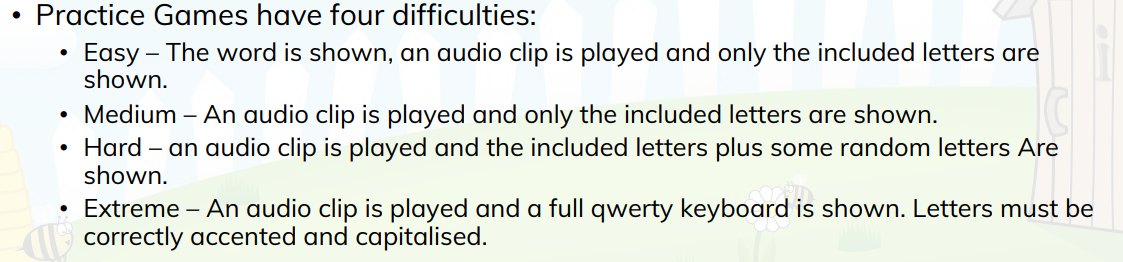
Levels of difficulty

Definition of levels of difficulty

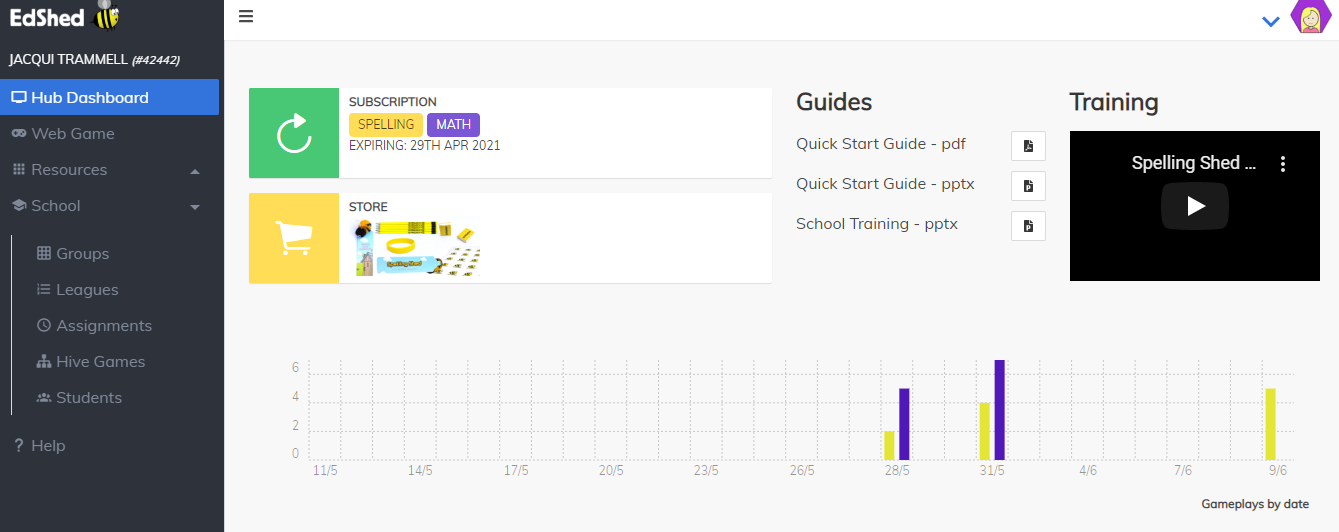
Little Bug is having a blast with these games.  She loves the challenge and is having fun practicing her mouse skills to boot.  You can enter your answers via the keyboard by typing or by mouse by clicking on the letters.  She uses both and prefers the mouse because it is just fun right now.  Adding your own customized lists is not too hard once you get the hang of it.  It's best to be in the teacher hub section to add customized lists that way you can "assign" them to your student(s).  The key to success with this program in my opinion is making sure you go to the teacher hub first and download/read the QUICK START GUIDE.  Then play around in the TEACHER HUB area to familiarize yourself with what it has and can do.  There is SO MUCH MORE to this program than what it appears.  


BE SURE TO READ THE QUICK START GUIDE FIRST!

Teacher Hub (this is where you should add customized
 lists and assign them to your student(s).


SO MANY EXTRAS!!


I did not find the Spelling Shed program very user friendly at first but then realized that with some time and a fairly short learning curve I got more comfortable with it and realized its potential.  The same is true for the Math Shed program.  I love that there are not official grade levels listed for the students and you can assign them lists from anywhere.  Being able to create your own custom lists is also a big plus.

Math Shed menu


Decimals

Times Tables

If everything available is still not enough then check out the RESOURCES tab in the teacher hub for more projects and activities that can even be printed out!


Extra resources available


If you are looking for a customizable and expansive spelling or math program that is online, fun, and a great challenge for your kid(s) I highly recommend you check out Spelling Shed and Math Shed from EdShed.  They both have FREE 30 day trials so they are very much worth checking out.  I don't think you will be disappointed if you give it a try and have a little bit of patience.


You can connect with EdShed on FACEBOOK, TWITTER, INSTAGRAM, and YOUTUBE.  Please also be sure to check out the reviews from my fellow Crew members to see what they have to say about these two programs. Just click on the graphic link below.


Spelling Shed & Math Shed {Education Shed Reviews}

Friday, May 15, 2020

Math Skills REVIEW

Disclaimer: I received a FREE copy of this product through the HOMESCHOOL REVIEW CREW in exchange for my honest review. I was not required to write a positive review nor was I compensated in any other way. 



My struggling learner high schooler has needed some help with math lately so when we had the chance to review Mastering Essential Math Skills Book 2 Middle Grades/High School from Math Essentials I submitted my interest.  I received a physical softcover copy of this 158 page math skills workbook.

I have reviewed for Math Essentials before when we chose No-Nonsense Algebra for a previous review.  I really like the format and the author's, Richard W. Fisher, simple teaching method.  The lessons can be completed quickly (generally within 20 minutes or so) and each lesson has an accompanying video lesson that you have access to.  The video lessons are anywhere from about 5 to 10 minutes long.  Some are a little longer.  To be able to complete a math lesson in about 30 minutes per day is a win.


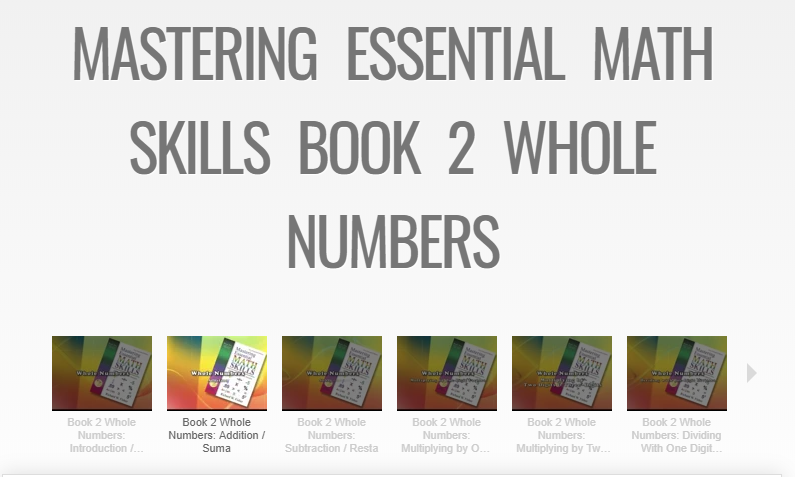
Online video lessons available for each lesson

When we first received the book I was very disappointed when I realized that the math skills reviewed for most of the book were VERY basic.  Addition, subtraction, multiplication, and division are covered in the first section (chapter).  I was sure I had made the wrong choice before I realized (after beginning lessons) that my son had indeed "forgotten" the very basics.  He had become too accustomed to using a calculator and had lost some of his basic skill set, not good!  This review has been good for him.  He completes a lesson a day and I am feeling good about him solidifying his basic skill set.  It has also reminded me and made me realize that I will be taking him back through the Algebra book and any other books I think he might need a review in.  I want his math knowledge to be solid.


Sample workbook pages (we did not do the speed drills for this section)

The difference in this workbook is that each daily lesson consists of 5 parts that include 2 speed drills, review exercises, helpful hints, new material, and a daily word problem.  There are a total of 8 chapters that are as follows:
  • Whole Numbers
  • Fractions
  • Decimals
  • Percent
  • Geometry
  • Integers
  • Charts and Graphs
  • Word Problems

Sample workbook page showing different sections covered

The final section in the book includes a review and answer key. The final review section is kind of like a "final" for the entire book.  There is also a resource center at the end of the book and it includes:
  • Glossary
  • Important Symbols
  • Multiplication Table
  • Commonly Used Prime Numbers
  • Squares and Square Roots table
  • Fraction/Decimal Equivalents table
Glossary from the Resource Center at the end of the book

At the beginning of the book, there is a step by step instructional guide on how to use the book and teach the lessons.  It is especially important to read this as it explains how to do the speed drills.  I wasn't able to understand what they were without reading the explanation of how to do them.  There is a total of 110 lessons so the book is easily completed within a school year.  We are using it as a supplement but it could also be used as your main curriculum.  You could also easily use it to reinforce just certain math skills by completing the specific lessons and/or chapter that you wish to gain more skills in.

I am glad we got this book and it is a thumbs up for me.  It works well for my son and I am confident he can get his skills back up to par without a lot of trauma and tears.  The short lessons work well for us and the lack of "fluff" is appreciated.  I recommend you try Mastering Essential Math Skills Book 2 Middle Grades/High School .  They have complete sample lessons available on their website for you to try before you buy.  You can connect with Math Essentials on FACEBOOK.


There are several other books available from Math Essentials so be sure to check out what my fellow Crew members have to say about the book we reviewed and the others since there are also reviews on the other books. Click on the graphic link below to learn more.


No-Nonsense Algebra, Math Refresher for Adults &  Mastering Essential Math Skills Book 2 Middle Grades/High School {Math Essentials Reviews}

Thursday, November 14, 2019

Elephant Learning Math REVIEW


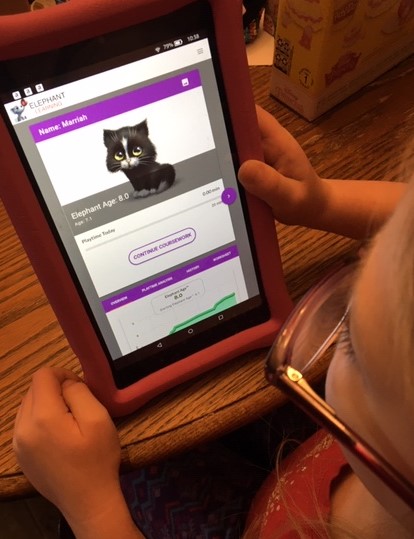
How is your math curriculum going?  Would your child benefit from some tutorial help?  When I had a chance to review Elephant Learning Math Academy a few months ago I decided it might be worth checking out.  Little Bug is doing ok in math but I felt my high schooler needed a little review help.  I received a 12 month subscription to the online math program.  It is available for your computer using Chrome or Safari, or as an app using iOS, Android, or Kindle Fire.  We used it as an app on Kindle Fire (I LOVE when apps are available for Kindle Fire!).  It is recommended for ages 2-16 and depends on your child's language abilities and attention span (it covers counting to algebra--but not high school level).  It was developed by a University of Denver math professor and one of his former students.  I really like that for every paid subscription they give one away to a family who is unable to pay the full tuition.  They offer a scholarship program on their site.


Notice browser requirements.
It works best on Chrome or Safari or as an app.


Child dashboard


Sample lesson


This online math subscription is for a family of up to 7 children.  You also get a parent account so you can easily check progress and even check out the lessons without affecting your student(s) score(s).  There is quite a bit of detail analysis of lessons skipped and completed.  The child always has the option to "skip" a question.  The program is intuitive and will work to advance your child as necessary.  They guarantee to advance your child an entire year in just 3 months.  Your child is only required to practice at least 30 minutes per week.


Student Dashboard


Analysis Overview


Playtime Analysis


Detailed history of lessons (allows you to try the lesson yourself without affecting your child's score to give you a better idea of what they are learning.

There are 32 games for your child to choose from and they all cover various areas (depending on their elephant age and progress).  Little Bug's curriculum currently covers:
  • Addition Subtraction: Comparison
  • Estimate Numbers to 100
  • Number Composition
  • Skip Count to 20 in the Line
  • Counting to 1000 in the Line


Choosing a game


Your child's dashboard gives you detailed information on how they are progressing and what areas they need help in.  There are even suggestions for you on how you can help them in an area. To tell you the truth, the amount of detail is almost overwhelming to me, yet the information is great to be able to see where your child's weaknesses are and where they need help and how you can help them.

Shows area of weakness and activities to help with math concept


When your child begins the program it will assess and learn where your child is academically.  Little Bug was almost 7 when she started but registered on the program as 6.1 years elephant math age.  She is now 7 and registering at 8.1 elephant math age.  She has advanced 2 years in about 10 weeks.  I'm not sure I agree that this is actually 2 academic years, but I do know that I have definitely seen a great improvement in her math skills, especially in the logic area.  She usually has fun with the games but does get frustrated a lot.  It is not a hands-off program and if I make myself available to help her when she gets confused about a question she does a lot better.  The program addresses your child by name and she was very upset that it kept pronouncing her name wrong.  I finally figured out how to fix that in the settings!


Working on a lesson


Go into settings to fix the pronunciation of your child's name if necessary.


I was really more interested in this program for my 10th-grade son to use as a review but it has proved to not be such a good fit for him.  That being said I think I am still going to sit down with him and go through some lessons with him.  He is a struggling learner and when things don't go right in his lessons he tends to shut down.  He was convinced the program wasn't working for him but his analysis also showed that he progressed almost 2 years during the time he used the program.


Elephant Learning Math Academy gets very high reviews from other sources and I think it is definitely worth checking out for your child.  I'm not sure it ended up being a great fit for either of my kids, but I do believe that the program does what it is intended to do and as I said, I can definitely see a difference in Little Bug's math skills.  You can connect with them on FACEBOOK, PINTEREST, YOUTUBE, and INSTAGRAM.

I recommend you take the time out to check it out and also click on the graphic link below to see what my fellow Crew review members have to say about this online math program.

 
Elephant Learning Math Academy Subscription {Elephant Learning Math Academy Reviews} 
 
 
Crew Disclaimer
Related Posts Plugin for WordPress, Blogger...